Diwali AI Photo Editing with ChatGPT
Diwali is a special festival filled with lights, happiness, colourful decorations, and beautiful celebrations. If you want to give your photos a festive look, you can use ChatGPT AI photo editing to create stunning Diwali-themed pictures.
Trending Diwali AI Photo Editing Prompt 2026
Works with: ChatGPT
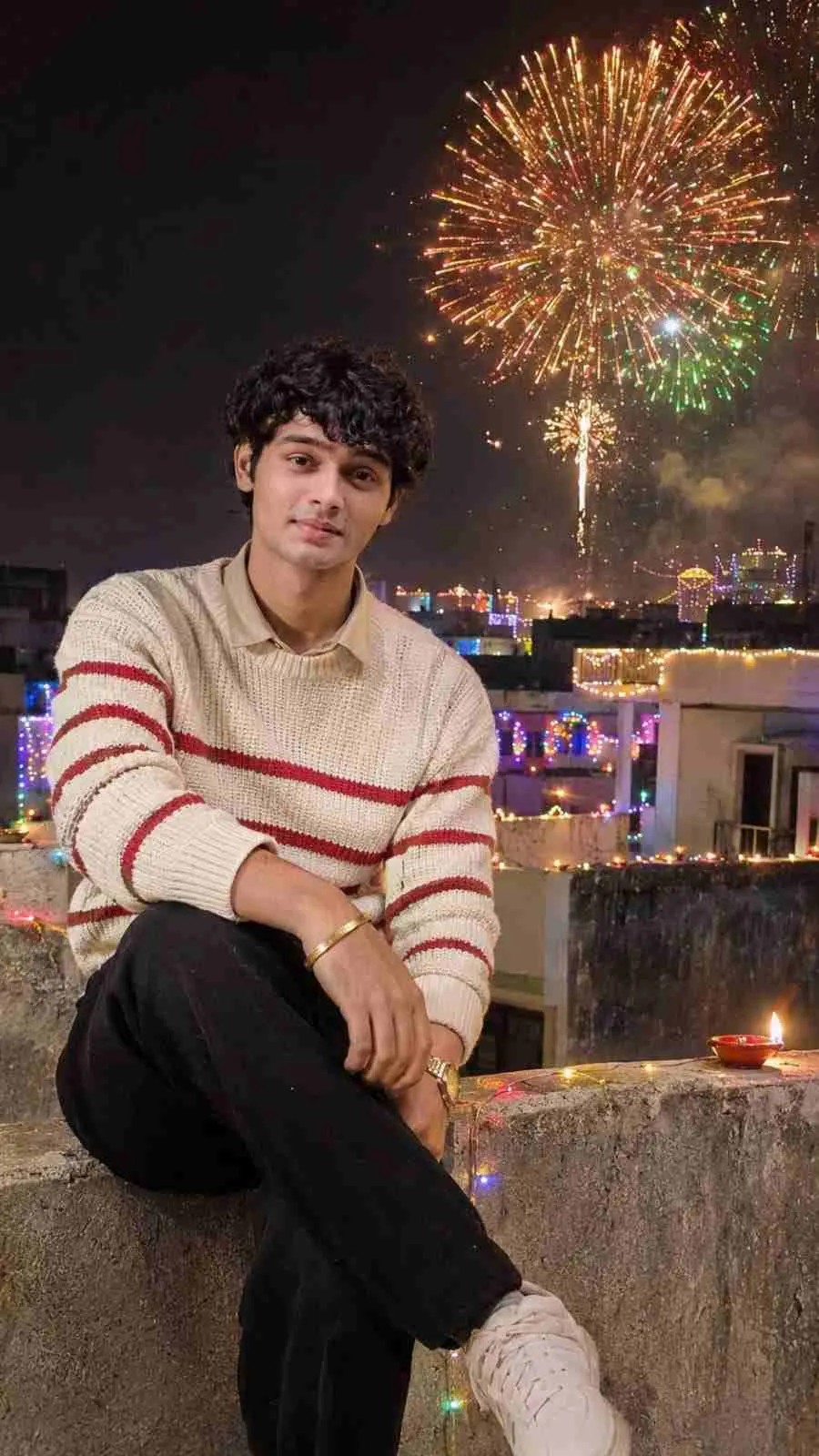
Create an ultra-realistic 4K DSLR nighttime Diwali rooftop photograph in vertical 9:16 ratio using the uploaded boy's photo as the EXACT identity reference. STRICT IDENTITY LOCK: Preserve his original face, facial structure, skin tone, eyes, nose, lips, hairstyle, facial hair and body proportions exactly as in the uploaded photo. Do not beautify, modify or replace his face. Show him sitting on a rooftop concrete parapet, looking towards beautiful golden, orange and green fireworks across the night sky. He wears a cream-white knitted sweater with red horizontal stripes, a beige collared shirt and black trousers. Decorate the rooftop and Indian city buildings with colourful Diwali fairy lights and glowing diyas. Natural fireworks lighting, authentic expression, realistic skin texture, cinematic nighttime photography. Keep him clearly visible from head to legs. No face changes, no extra fingers, no distorted anatomy, no CGI, no text, no watermark.
Negative prompt: blurry, low quality, distorted, extra limbs
Prompt 2
Works with: ChatGPT
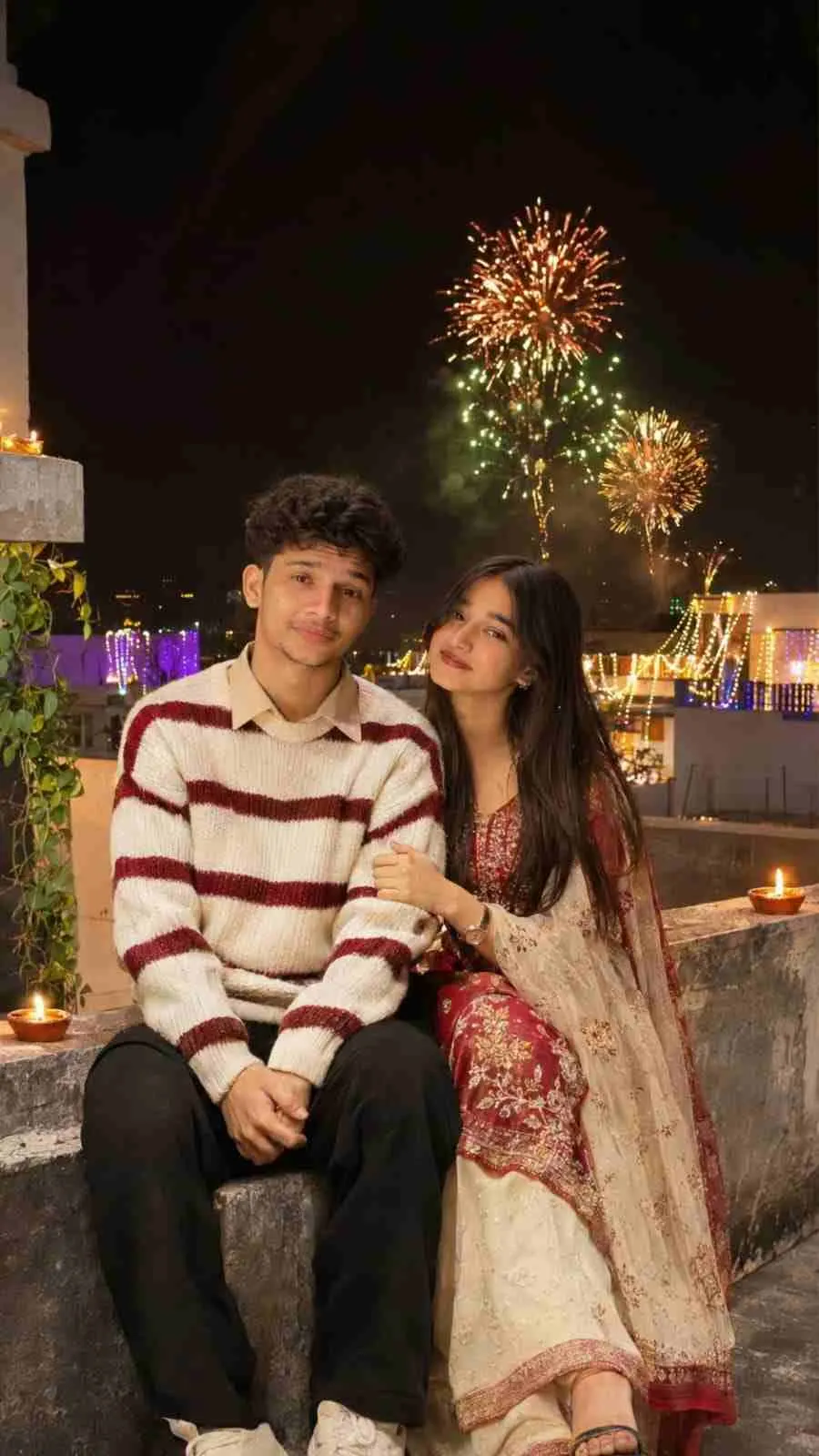
Create an ultra-realistic 4K DSLR nighttime Diwali rooftop couple photograph in vertical 9:16 ratio using BOTH uploaded photos as EXACT identity references. STRICT IDENTITY LOCK: Preserve the boy's and girl's original faces, skin tones, facial features, hairstyles and body proportions exactly as in their respective uploaded photos. Do not change, beautify, mix or replace either face. Show them sitting lovingly together on a rooftop concrete parapet, looking towards beautiful golden, orange and green fireworks across the dark sky. The boy wears a cream-white knitted sweater with red horizontal stripes, beige collared shirt and black trousers. The girl wears an elegant red and cream traditional festive outfit with subtle jewellery. Decorate the rooftop and surrounding Indian buildings with colourful Diwali fairy lights and glowing diyas. Warm fireworks illuminate their faces naturally. Authentic candid expressions, realistic skin texture, cinematic nighttime photography. Keep both people clearly visible from head to legs. No face changes, no face swapping, no extra fingers, no distorted anatomy, no CGI, no text, no watermark.
Negative prompt: blurry, low quality, distorted, extra limbs
Prompt 3
Works with: ChatGPT
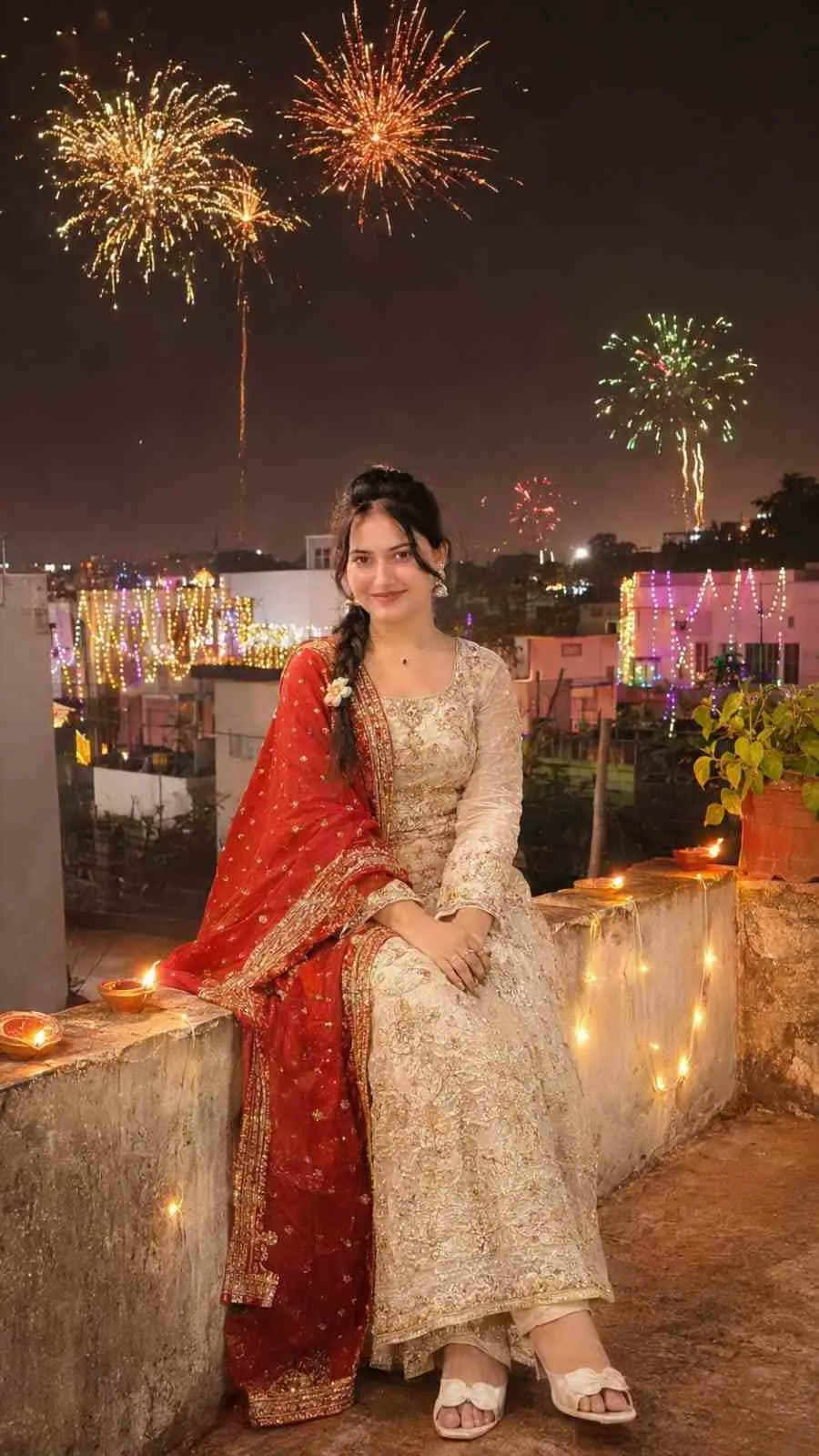
Create an ultra-realistic 4K DSLR nighttime Diwali rooftop photograph in vertical 9:16 ratio using the uploaded girl's photo as the EXACT identity reference. STRICT IDENTITY LOCK: Preserve her original face, facial structure, skin tone, eyes, nose, lips, hairstyle and body proportions exactly as in the uploaded photo. Do not beautify, modify or replace her face. Show her sitting on a rooftop concrete parapet, looking at beautiful golden, orange and green fireworks across the night sky. She wears an elegant red and cream traditional festive outfit with subtle jewellery. Decorate the rooftop and Indian city buildings with colourful Diwali fairy lights and glowing diyas. Natural fireworks lighting, authentic expression, realistic skin texture, cinematic nighttime photography. Keep her clearly visible from head to legs. No face changes, no extra fingers, no distorted anatomy, no CGI, no text, no watermark.
Negative prompt: blurry, low quality, distorted, extra limbs
Diwali AI photo editing with ChatGPT is a creative way to generate or edit festive photographs using text instructions and reference images. You can describe the background, outfit, lighting, pose, decorations, and overall photography style you want. ChatGPT can help you create a detailed prompt and, when image generation or editing is available in your ChatGPT experience, you can use it to create your picture. You can experiment with different Diwali themes, such as traditional portraits, rooftop celebrations, diya photography, couple pictures, and cinematic festival scenes.
Here are ready-to-use Diwali AI photo editing prompt for creating a realistic festive portrait. Upload your photo and use the following instructions with ChatGPT’s image generation or editing feature.
Frequently Asked Questions
How do I use the Diwali AI Photo Editing with ChatGPT?
1. Open the ChatGPT app or website. 2. Sign in to your account. 3. Open the image generation feature or start a chat where image creation is available. 4. Upload a clear photo that you want to edit. 5. Copy the Diwali AI photo editing prompt from this article. 6. Paste the prompt into ChatGPT and submit your instructions. 7. Wait for ChatGPT to generate or edit your image. 8. Review the result and request changes if needed. 9. Save your final image and share it on your social media platforms.
Which AI tools work with this prompt?
It is written for ChatGPT. Most prompts also work in similar image and video generators with small edits.
What aspect ratio should I use?
Use 9:16 for the closest result to the example shown on this page.
Is the Diwali AI Photo Editing with ChatGPT free?
Yes. Every prompt on Promptseens is free to copy and customise for your own projects.
Related prompts
- Viral Diwali AI Video Editing Prompt 2026
- Red Sequin Saree Diwali Look AI Photo Prompt
- Birthday Special AI Photo Editing Prompts
- Trending Guru Randhawa Song CapCut Template
- Karwa Chauth Couple AI Photo Prompts: 10 Moonlit Romantic Looks
- Sajna Tere Bina VN QR Code Template (ID 945114) + 4 AI Photo Prompts
- Viral Karwachauth photo editing prompt
- Amitabh & Rekha Coffee AI Video Editing Prompt (2026)
- 26th January Prompts For Girls | HD Quality Gemini Prompts
- Realistic Couple Selfie Prompts | Viral Couple Photo Editing Prompts
- Viral Three Layer Photo Prompts For Boys, Girls, Couple | ChatGPT Prompts
- Viral Cinematic Photo with Name Editing Prompts | ChatGPT Prompts
More: All Photo-prompts