Instagram User That Makes Feel You Remind Old Memories Photo Prompt
Old memories have a special place in our hearts. A single photo can bring back moments, emotions, and people we once loved. That’s why the Instagram User That…
Prompt 1
Works with: Midjourney, ChatGPT
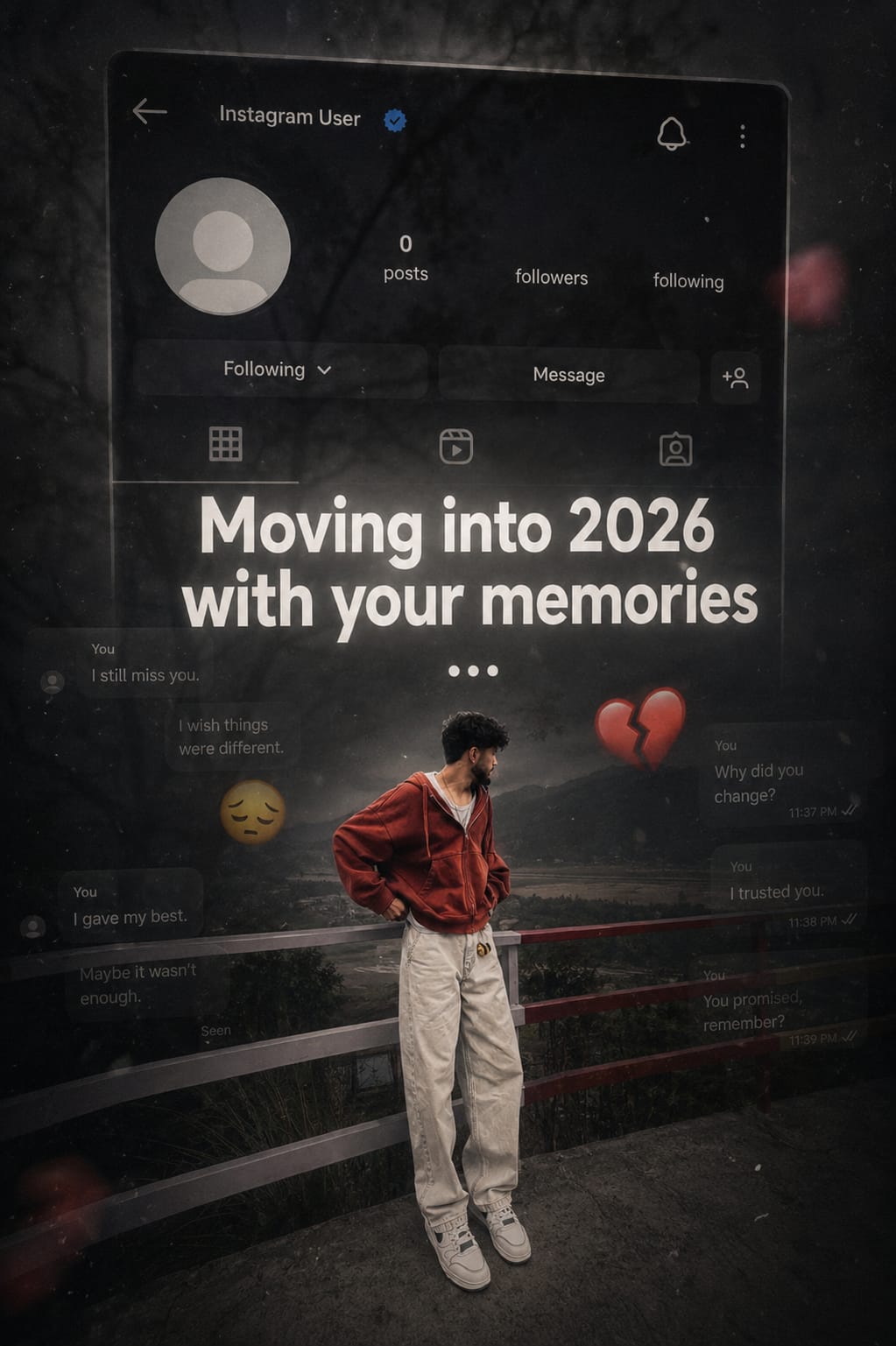
Create a dark, emotional Instagram heartbreak memories edit using the uploaded photo. Keep the person’s face, hairstyle, skin tone, body shape, clothes, and pose 100% unchanged. Do not modify identity. Design: • Background should be dark, faded, and slightly blurred. • Add a large semi-transparent Instagram profile interface behind the subject. • Profile picture should appear removed with a default Instagram avatar. • Username: “Instagram User” • Add Profile, Search, Mute, and Options icons. • Use a black and grey color theme with a soft vignette. • Add subtle film grain, motion blur, dust particles, and cinematic lighting. • Place the subject at the bottom center with a soft shadow. Text (large bold white font): “Moving into 2026 with your memories” Below the text add: … Additional effects: • Broken heart emoji • Sad emoji • Faded chat/message overlays in the background. • Instagram aesthetic, nostalgic breakup vibe. • Moody color grading with low saturation. • High contrast, realistic photo edit. • Soft glow around the subject. • Premium viral Instagram reel thumbnail style. • Ultra HD, photorealistic, 4K quality. • No cartoon, no anime, no AI-looking face. • Keep everything natural and cinematic.
Negative prompt: blurry, low quality, distorted, extra limbs
Prompt 2
Works with: Midjourney, ChatGPT
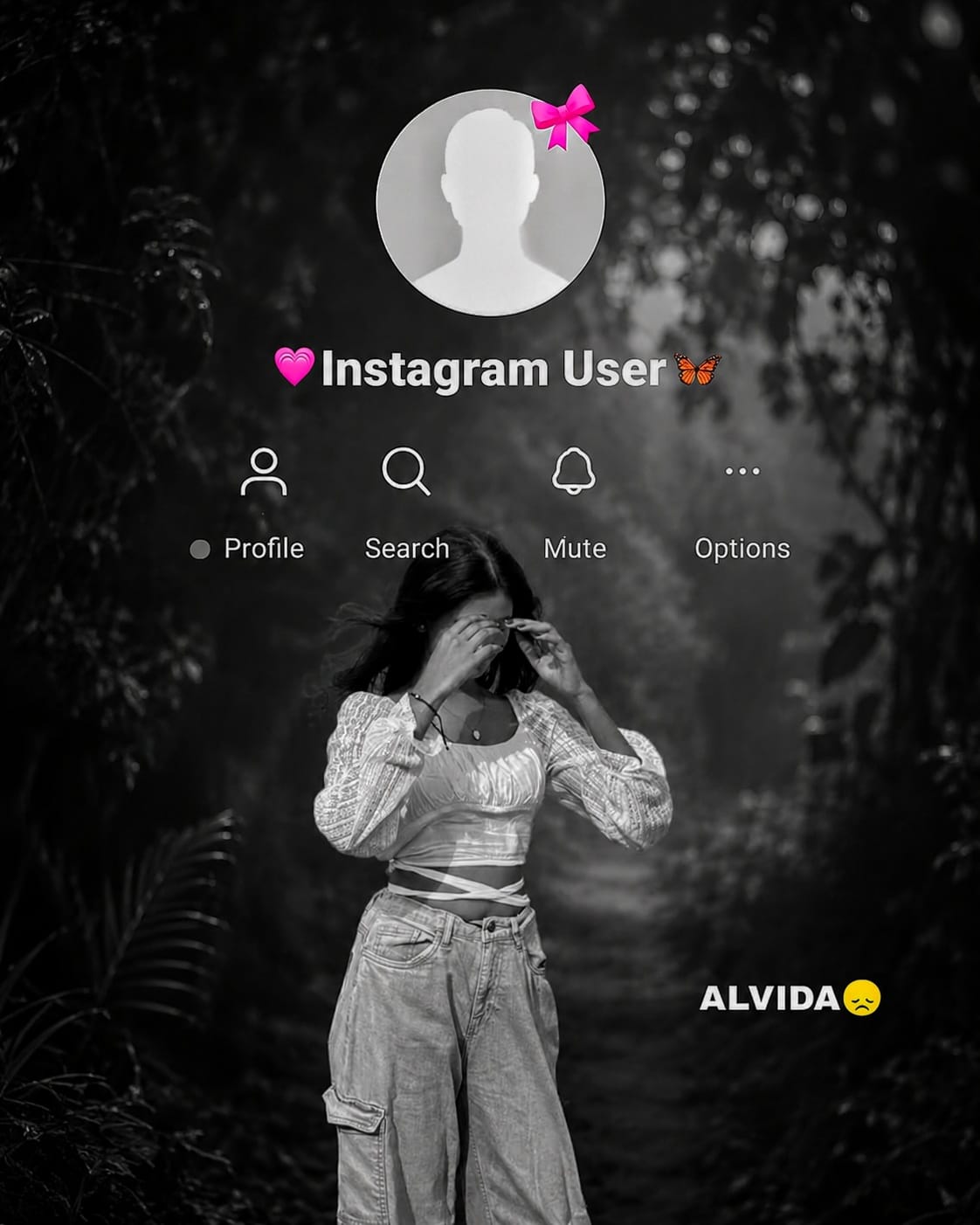
Use the provided template image (image_4.png) as the exact layout for this edit. You must maintain the entire interface overlay, including the top circular profile icon (with the pink bow), the ‘Instagram User’ text, all interface icons, and the ‘ALVIDA ’ text in their exact original positions. Do not move, alter, or delete any of these overlay elements. Take the person from the new photo provided and place them as the large central figure, replacing the old figure. The new person must be rendered with the exact same framing (half-body or full-body) as in the input photo. Apply a cinematic ‘Black & White’ style, but ensure it is balanced and medium-dark—do not make it overly black or crushed. The subject’s face, features, and clothing must be clearly visible with natural skin tones and balanced contrast, maintaining a high-quality cinematic look without being excessively dark. The background should be a dark, cinematic forest scene, but clearly distinguishable from the subject. Most importantly, the final output must be of the highest possible resolution, crystal clear, sharp, and in Full HD. Maintain the original integrity of the subject.
Negative prompt: blurry, low quality, distorted, extra limbs
This prompt helps you turn a simple photo into a cinematic Instagram-style memory edit. With a dark theme, faded Instagram interface, and emotional effects, it creates a realistic heartbreak or nostalgic vibe that connects with viewers.
In this article, you’ll learn how this photo prompt works, why it is trending, and how you can use it to create viral, emotional Instagram-style images with AI.
Related prompts
- Viral Karwachauth photo editing prompt
- 26th January Prompts For Girls | HD Quality Gemini Prompts
- Realistic Couple Selfie Prompts | Viral Couple Photo Editing Prompts
- Viral Three Layer Photo Prompts For Boys, Girls, Couple | ChatGPT Prompts
- Viral Cinematic Photo with Name Editing Prompts | ChatGPT Prompts
- Normal Photo to Night Glow Effect ChatGPT Prompts
- Happy Birthday Photo Editing Prompts Prompts
- Create Aesthetic Photo Using This ChatGPT Prompts For Girls
- India Worldcup Winnning Celebration Ai Photo Editing Prompts
- Hanuman Jayanti 2026 Ai Photo Editing Prompts For Boys, Girls and Babies
- Trending Girls Collage Photo Editing Prompts | Chatgpt , Gemini
- Crayon Shin-Chan Character Ai Photo Prompt