Garba AI Dance Video Editing Tutorial – Create Viral AI Dance Videos
Introduction to Garba AI Dance Video Editing Garba AI Dance Video Editing is becoming a creative way to transform ordinary photos into beautiful dance videos…
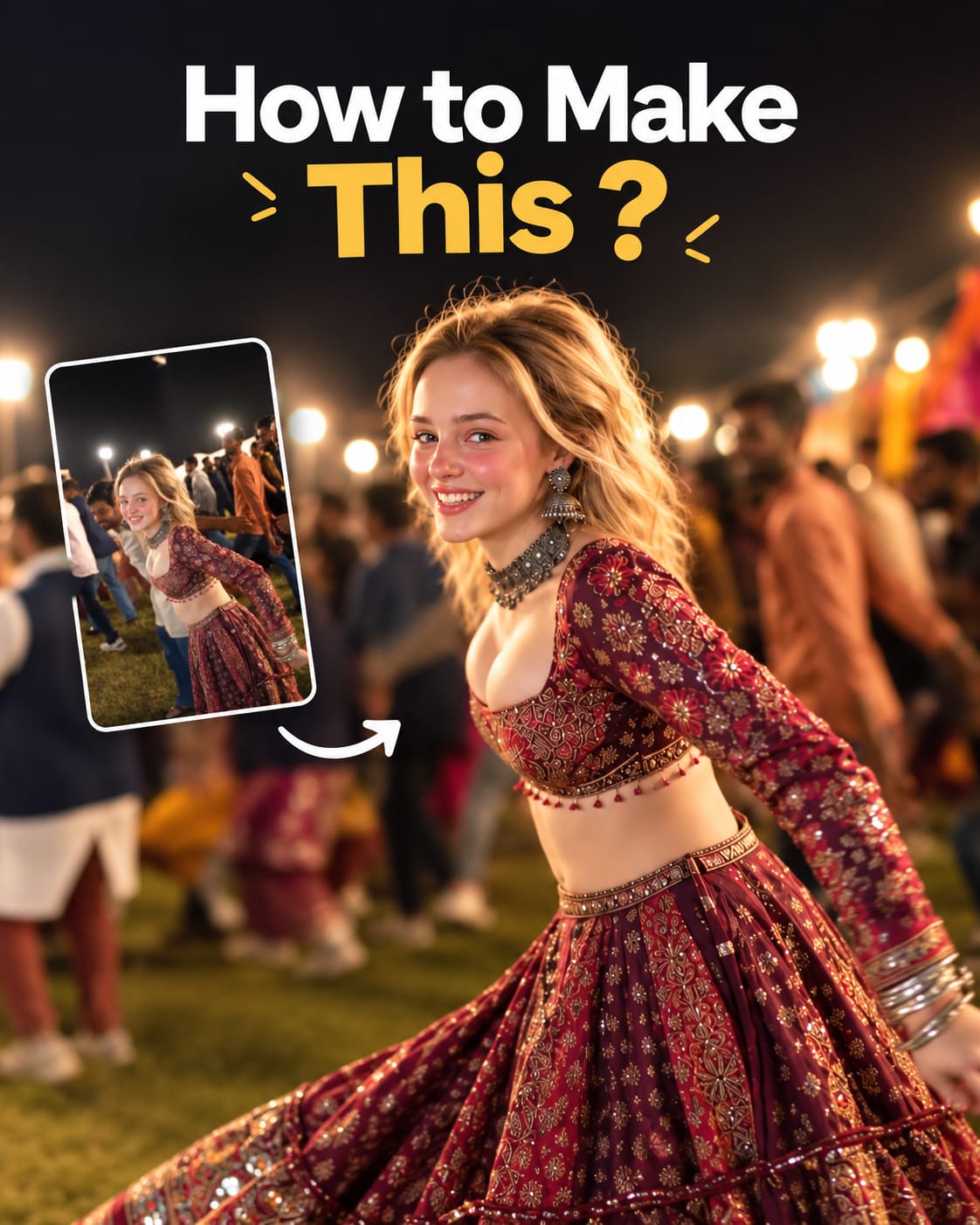
Prompt 1
Works with: Kling AI, CapCut
Create a cinematic 4K, highly detailed, photorealistic video by transferring the EXACT dance movements, body motion, performance, timing, expressions, and camera movements from the REFERENCE VIDEO onto the person shown in the TARGET IMAGE. Completely replace the original main dancer with the person from the TARGET IMAGE. Preserve the target person's exact facial identity, facial features, skin tone, hairstyle, and natural appearance. Do not retain the original dancer's face. Do not alter, beautify, or

distort the target person's identity. Maintain consistent facial identity throughout the video.

Dress the target person in a stunning traditional Indian lehenga choli in deep maroon and gold, featuring intricate embroidery, shimmering sequins, a traditional choker necklace, and matching earrings. Recreate the same outdoor nighttime celebration atmosphere, with a lively croud in a mix of casual and traditional Indian attire, bright overhead floodlights, and a festive mood.

Follow the exact camera movement and framing of the reference video, starting with a dynamic tracking shot around the spinning dancer and ending with a stable, intimate shot of the person's smiling face and sparkling jewelry. Ensure cinematic 4K quality, realistic skin texture, natural dance physics, vibrant colors, shallow depth of field, soft bokeh, and high-quality motion blur.
Negative prompt: blurry, low quality, distorted, extra limbs
A Garba AI dance video is a video created using artificial intelligence that makes a person in a photo appear to perform traditional Garba dance movements. You can use a portrait of yourself, a friend, or another person who has given permission to use their image. Depending on the AI tool, you can generate traditional Gujarati outfits, colorful Navratri decorations, festive lighting, and natural dance movements. The best part is that you do not need professional video editing skills to get started. Once the video is generated, you can improve it using a mobile editing application such as CapCut or VN Video Editor. Adding Garba music, beat synchronization, smooth transitions, and suitable color grading can make your final video more attractive and engaging.
Related prompts
- Mountain View Vibe Video Editing Prompt For Flow AI
- Celebrity Funny Dance AI Video Prompt (Google Flow, 9:16)
- Open Gangnam Style Trend Prompt for Google Flow (3-Person Dance)
- Navratri Nails Transformation AI Video Tutorial
- Finger Snap Horse AI Video – Create a Viral AI Horse Video
- Viral Fancam AI Video Tutorial: Create Trending AI Fancam Videos
- Trending Ganpati Bappa AI Video Editing Prompt
- Mercedes Car Stand AI Video Editing Prompt
- Radha Krishna Divine Love Story | Viral AI Video Editing Prompt
- Trending Flying Fairy AI Video Editing Prompt
- Celebrity Funny Dance AI Video Editing Prompt 2026
- Zombie to Love Story Memory AI Video Editing Prompt