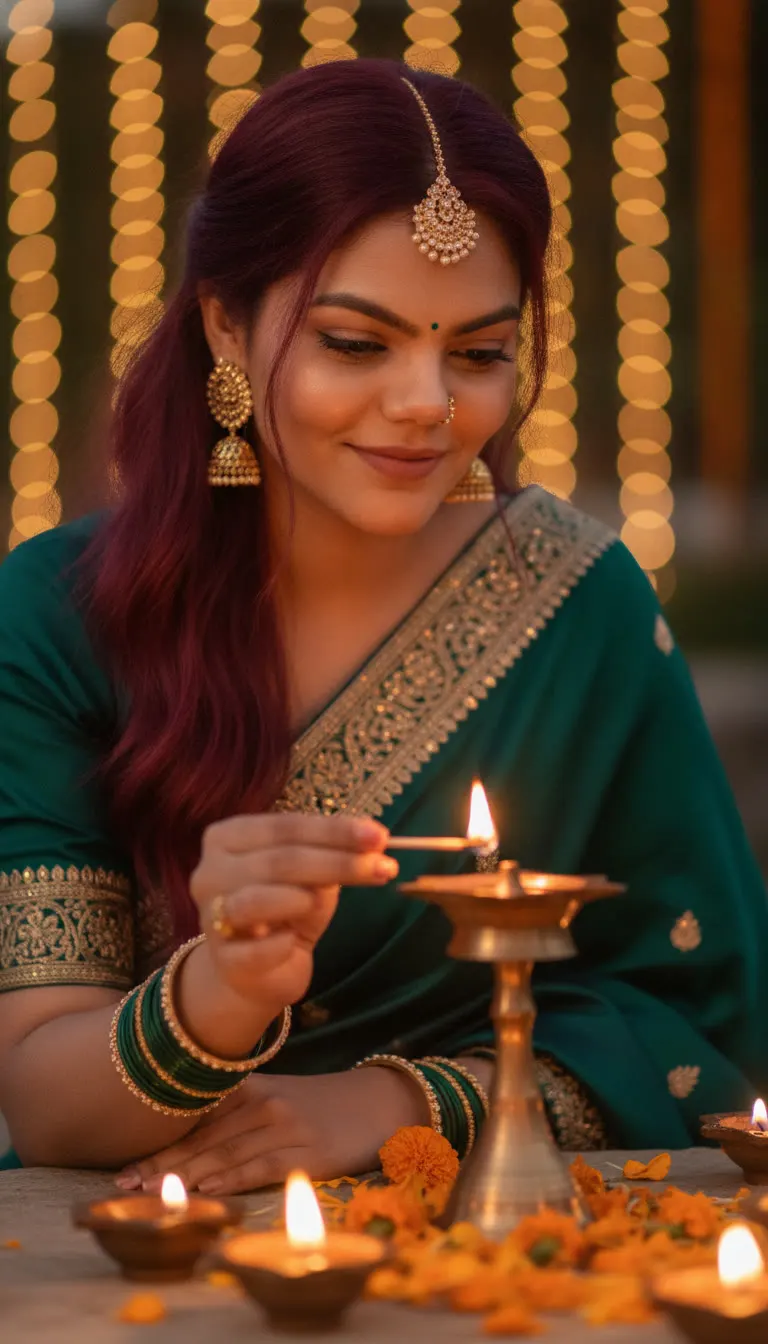
Diwali Saree Diya Closeup AI Photo Prompt
Create a realistic Diwali close-up photo in a teal saree lighting a brass diya, with warm bokeh lights and marigold petals. Copy-paste prompt.
Prompt 1
Works with: ChatGPT, Google Gemini
Use the person from the uploaded reference image as the main character. Keep their face, facial features, skin tone, hair and overall appearance exactly the same as the reference image (1:1 likeness). Do not alter or beautify their identity. Create an intimate close-up of the woman lighting a brass diya during Diwali. She wears a deep teal-green saree with intricate gold embroidery, ornate gold jhumka earrings, a delicate nose ring, a maang tikka, and stacked green-and-gold bangles. Her long hair falls in soft waves over one shoulder. She looks downward with a gentle smile as her right hand brings a lit match toward the cotton wick of a brass oil lamp. Several glowing diyas and orange marigold petals fill the softly blurred foreground. Warm golden bokeh fills the background. Realistic skin texture, flame-lit cheeks, shallow depth of field, close portrait photography, vertical 9:16. No text.
Negative prompt: blurry, low quality, distorted, extra limbs
It’s perfect for Instagram stories, WhatsApp DP, festive greetings, or a classy Diwali fashion shoot look in a deep teal-green saree with gold work—without needing a real set-up of lamps and lights.
📸 Upload your photo along with this prompt. You will be the main character!
Frequently Asked Questions
How do I use the Diwali Saree Diya Closeup AI Photo Prompt?
1. Open ChatGPT (or Gemini) that supports image generation and upload your clear portrait photo (front/3/4 angle works best). 2. Copy the prompt from the Looks section and paste it into the chat. Keep the vertical 9:16 line as-is for story format. 3. If your tool asks for settings, choose “Photo/Realistic” style and keep high detail on. Avoid “beauty” filters. 4. Tap Generate. If the diya flame looks odd, regenerate once or ask: “Make the match and flame natural and realistic.”. 5. Download the best result. If needed, crop slightly to keep the face and diya in the center for a clean close-up.
Which AI tools work with this prompt?
It is written for ChatGPT, Google Gemini. Most prompts also work in similar image and video generators with small edits.
What aspect ratio should I use?
Use 1:1 for the closest result to the example shown on this page.
Is the Diwali Saree Diya Closeup AI Photo Prompt free?
Yes. Every prompt on Promptseens is free to copy and customise for your own projects.
Related prompts
- Diwali Red Saree Sparkler Balcony Portrait AI Photo Prompt
- Diwali 5 Panel Saree Diya Collage AI Photo Prompt
- Diwali Double Exposure Diya Portrait AI Photo Prompt
- Diwali Sky Lantern Couple Portrait AI Photo Prompt
- Diwali Sky Lantern Saree Portrait AI Photo Prompt
- Diwali Sparkler Couple Portrait AI Photo Prompt
- Diwali Rooftop Couple Portrait AI Photo Prompt
- Moody Diwali Saree Diya Portrait AI Photo Prompt
- Diwali Couple Diya Portrait AI Photo Prompt
- Diwali Red Outfit Diya Portrait AI Photo Prompt
- Diwali Anarkali Diya Ghat Portrait AI Photo Prompt
- Diwali Anarkali Diya Portrait AI Photo Prompt
More: All Templates