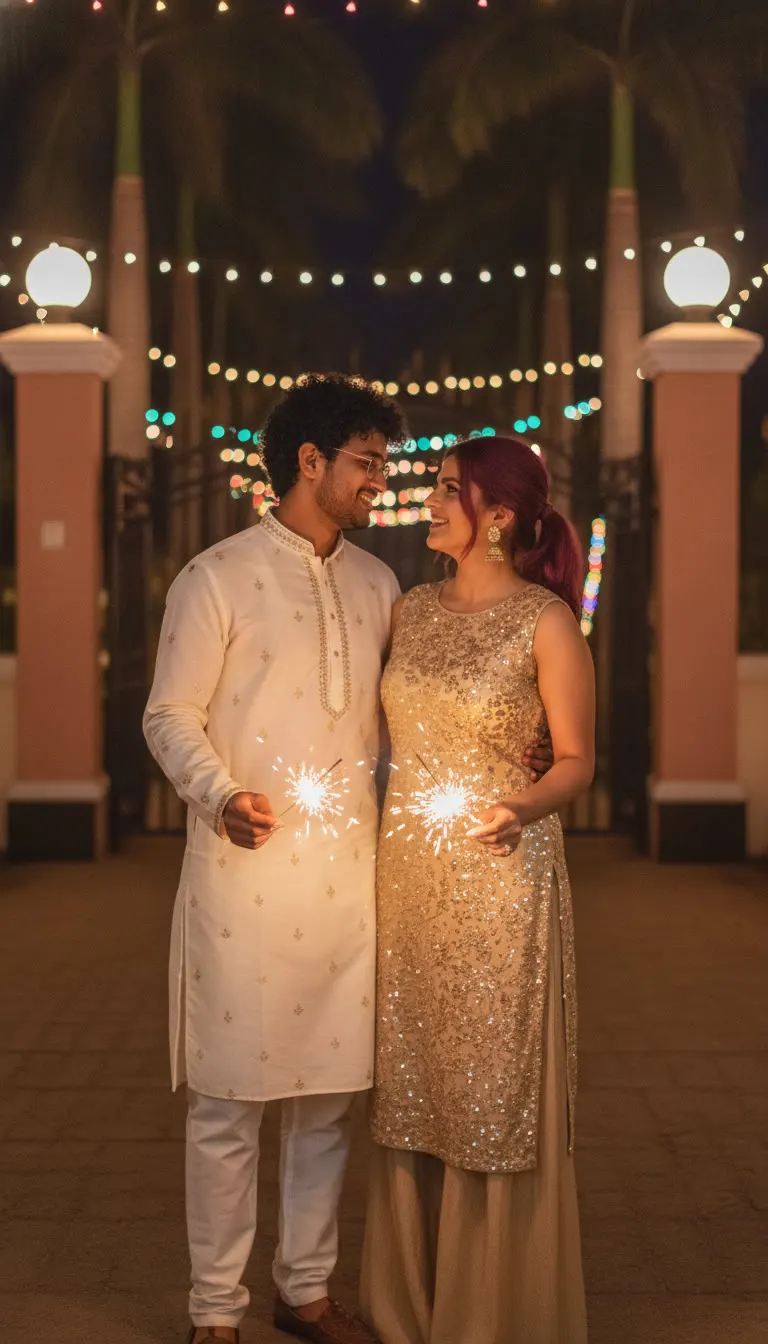
Diwali Sparkler Couple Portrait AI Photo Prompt
Create a candid Diwali night couple portrait with sparklers, fairy lights, and kurta-pajama outfits. Copy-paste AI photo prompt, 9:16.
Prompt 1
Works with: ChatGPT, Google Gemini
Transform the uploaded couple photo into a candid Diwali night photograph. Use the person from uploaded Image 1 exactly as they look in that photo (1:1 likeness of face, facial features, skin tone and hair). Do not alter or beautify their identity. Use the person from uploaded Image 2 exactly as they look in that photo (1:1 likeness of face, facial features, skin tone and hair). Do not alter or beautify their identity. The man stands on the left wearing an ivory embroidered kurta and white pajama trousers. The woman stands on the right wearing a sleeveless champagne-gold embroidered kurta with matching wide-leg trousers. They look affectionately at each other, each holding a glowing sparkler low in front of their body. Behind them are an iron entrance gate, peach-colored pillars topped with white globe lamps, palm trees, and colorful hanging fairy lights. Warm sparkler light illuminates their faces. Natural handheld smartphone photography, realistic skin texture, slightly imperfect candid framing, vertical 9:16. No text or watermark.
Negative prompt: blurry, low quality, distorted, extra limbs
It’s made for couples who want a candid, smartphone-style Diwali picture in kurta-pajama outfits—perfect for WhatsApp status, Instagram stories, or a clean festive profile photo.
📸 Upload 2 photos – Image 1 and Image 2 – along with this prompt. You will be the main characters!
Frequently Asked Questions
How do I use the Diwali Sparkler Couple Portrait AI Photo Prompt?
1. Open ChatGPT (or Gemini) and choose the image/AI photo feature. 2. Upload your couple photo (clear front-facing faces work best). 3. Copy the prompt under “Look 1” and paste it into the chat. 4. If needed, ask for small tweaks like “make the fairy lights more colorful” or “reduce blur, keep it sharp”. 5. Generate 2–4 options, pick the best one, then download in 9:16 vertical. 6. If the faces shift, regenerate and add: “keep faces identical to the reference images, no changes.”.
Which AI tools work with this prompt?
It is written for ChatGPT, Google Gemini. Most prompts also work in similar image and video generators with small edits.
What aspect ratio should I use?
Use 1:1 for the closest result to the example shown on this page.
Is the Diwali Sparkler Couple Portrait AI Photo Prompt free?
Yes. Every prompt on Promptseens is free to copy and customise for your own projects.
Related prompts
- Diwali Red Saree Sparkler Balcony Portrait AI Photo Prompt
- Diwali 5 Panel Saree Diya Collage AI Photo Prompt
- Diwali Double Exposure Diya Portrait AI Photo Prompt
- Diwali Sky Lantern Couple Portrait AI Photo Prompt
- Diwali Saree Diya Closeup AI Photo Prompt
- Diwali Sky Lantern Saree Portrait AI Photo Prompt
- Diwali Rooftop Couple Portrait AI Photo Prompt
- Moody Diwali Saree Diya Portrait AI Photo Prompt
- Diwali Couple Diya Portrait AI Photo Prompt
- Diwali Red Outfit Diya Portrait AI Photo Prompt
- Diwali Anarkali Diya Ghat Portrait AI Photo Prompt
- Diwali Anarkali Diya Portrait AI Photo Prompt
More: All Templates